Administration
As Governor admin is important to know all the components and how we can scale, manage, etc.
Some of these settings will be included in the portal but they are not available in the current release. Within the terraform repository, the most important files are:
| File | Description |
|---|---|
| governor-config.tf | configuration of the environment specific governor settings |
| policy_db-init-data.sql | users/permissions import into policy database |
| main.tf | kubernetes specific settings |
| azure-modules.tf | submodule configuration for terraform |
Scale executor and/or observers
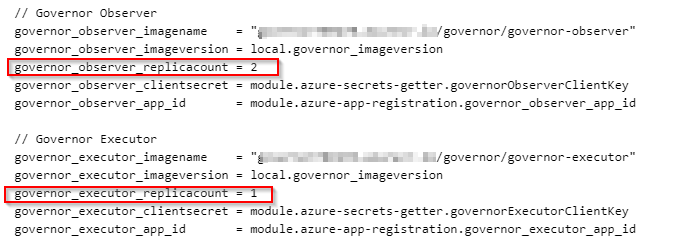
You can scale the number of executors, observers and API instances modifying the main.tf file and applying the changes by Terraform

Add Users in Governor-api
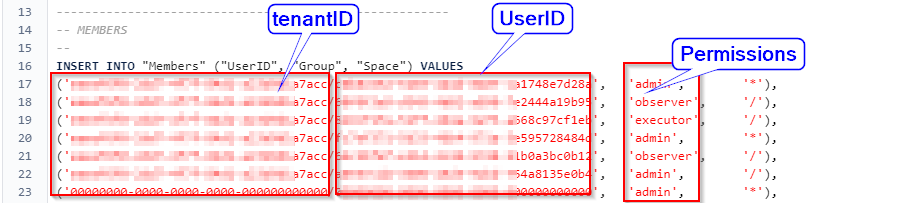
Users and its permissions are stored in policy_db. Currently we can manage this database with the this import file. It means we need to add the users id and the permissions in this file and then Terraform applies the changes. (see the Post installation)
Databases
Inventory
Governor works with Table Storage Tables to mirror the cloud information about objects, we call this "Inventory"
Master DB
Other Database is "Master DB", here is where Governor stores the desired state of the objects and profile assignments, status, lifecycle , etc.
Policy DB
There is another database called "Policy_db" where is stored the Access Control List for the application, here we can find who has access and to which scope.
Job DB
In this database we have stored the schedued jobs running in Cloud Governor
Deploy new releases
New releases deployments are based on product version. It means you will need to pull the repository and then do some changes in the state file.