Object Types
Object type definition are used to define which ConfigurationTypes are used for specific objects. It defines the ui columns and search options we have in Governor-ui.
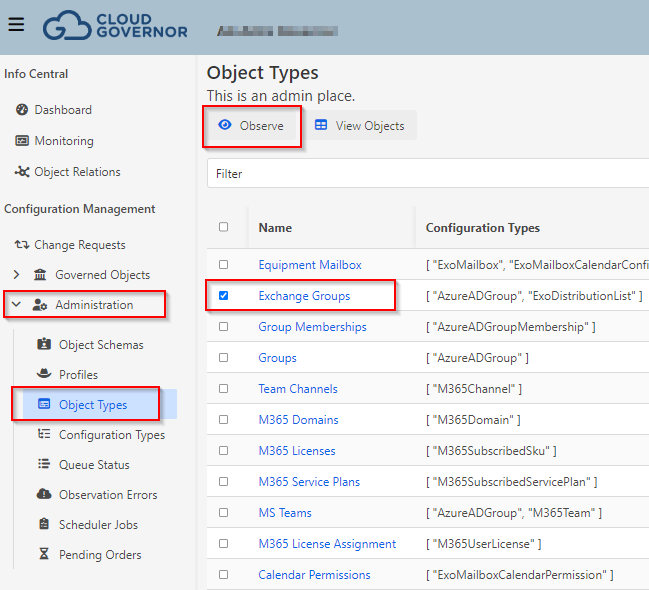
We can use Object types to perform List Observations, in the portal. You should select the object type in the List and click "Observe"
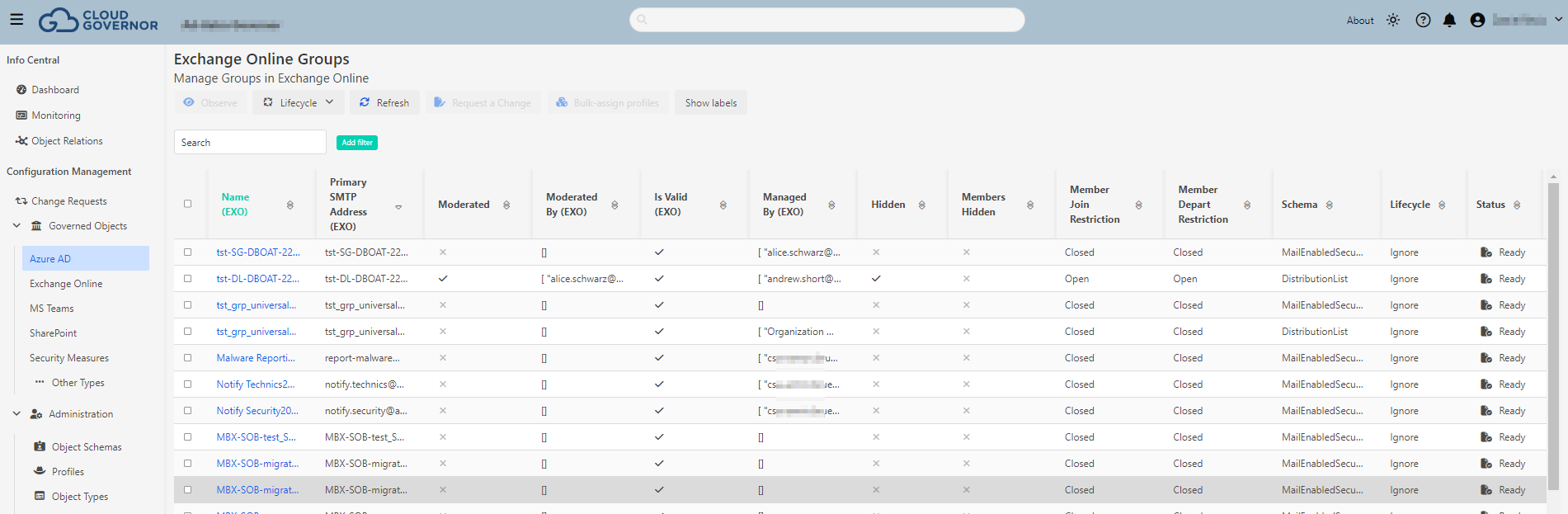
If you select an Object Type and click "View Objects" you will be redirected to the view of all objects related this Object Type in the database.
JSON
{
  "id": "<objecttypeId>",
  "name": "<Friendly name of the object>",
  "displayNameProperty": "<property we want to use as Displayname in UI>",
  "masterKeyProperties": ["<uniquevalues which identifies the object>"],
  "configurationTypes": ["<array of ConfigTypes used for this object>"],
  "uiProperties": {
    "uiCategory": "<Category where this object type is included>",
    "uiTitle": "<Title in Categories view>",
    "uiSubtitle": "<Subtitle in Categories view>",
    "uiIconClass": "fas fa-solid fa-people-line",
    "uiColumns": [...],
    "uiSearchTerms": ["managed", "groups", "exo", "exchange", "m365"]
  }
}
Sample ExoGroups
As you can see in this Object type, we are defining Exchange Groups, this object type is composed by two partitions, "ExoDistributionList" and "AzureADGroup"
{
  "id": "ExoGroups",
  "name": "Exchange Groups",
  "displayNameProperty": "ExoDistributionList.name",
  "masterKeyProperties": ["ExoDistributionList.primarySmtpAddress"],
  "configurationTypes": ["ExoDistributionList", "AzureADGroup"],
  "uiProperties": {
    "uiCategory": "Exchange Online",
    "uiTitle": "Exchange Online Groups",
    "uiSubtitle": "Manage Groups in Exchange Online",
    "uiIconClass": "fas fa-solid fa-people-line",
    "uiColumns": [
      "ExoDistributionList.name",
      "ExoDistributionList.primarySmtpAddress",
      "ExoDistributionList.ModerationEnabled",
      "ExoDistributionList.ModeratedBy",
      "ExoDistributionList.isValid",
      "ExoDistributionList.managedBy",
      "ExoDistributionList.proxyAddresses",
      "ExoDistributionList.HiddenFromAddressListsEnabled",
      "ExoDistributionList.HiddenGroupMembershipEnabled",
      "ExoDistributionList.MemberJoinRestriction",
      "ExoDistributionList.MemberDepartRestriction",
      "schemaId",
      "lifecycle",
      "status"
    ],
    "uiSearchTerms": ["managed", "groups", "exo", "exchange", "m365"]
  }
}
By default, All Databoat Object types are initialized in the database when the Governor API starts. Then we could use the API to add more types or modify existing ones. We strongly recommenend to store custom Objects in JSON format in a seperate git repository as changes in Datatboat Objects might overwrite your changes to the existing objects on startup due to that behavior.