Assing and Apply Profiles
Assign Profiles is the action where you can flag object with a dedicated Profile. This action doesn't mean Profile is applied (executed). To perform the action defined in the Profile you need to Apply it.
Bulk assignment
You can assign Profiles in bulk mode only selecting object with the same Schema.
For example you can select Shared Mailbox with the same Schema and then click "Bulk-assign Profiles" button.
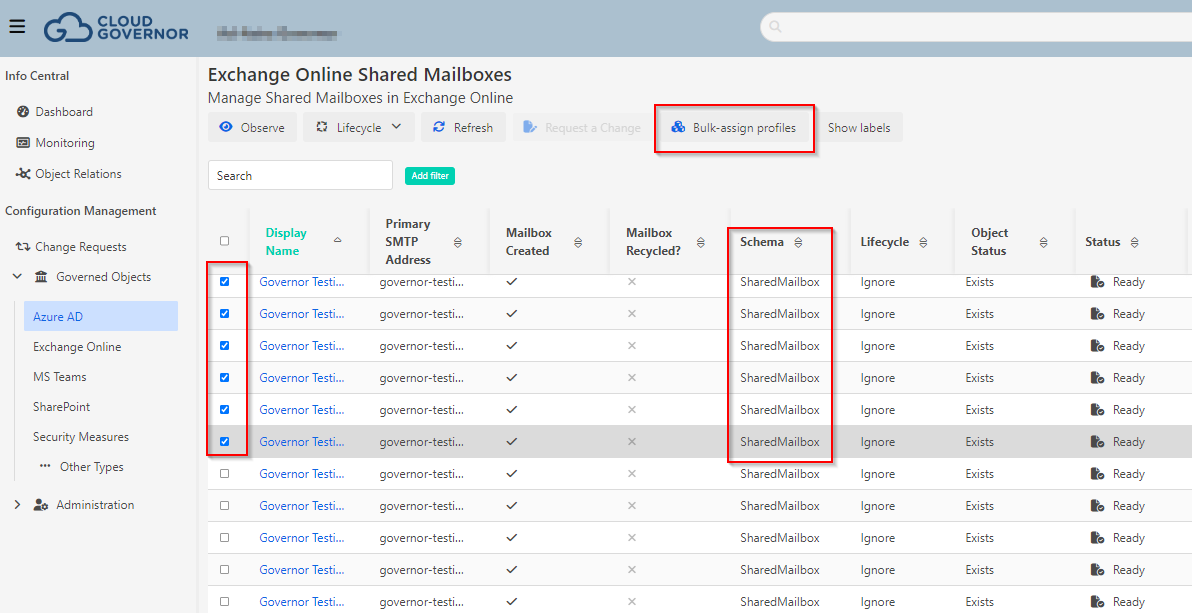
Then you need to choose one or more profiles from the available list (Governor will show only those profiles related to this Schema)

Individual Assignment
You can always assign Profiles when you open an Object.
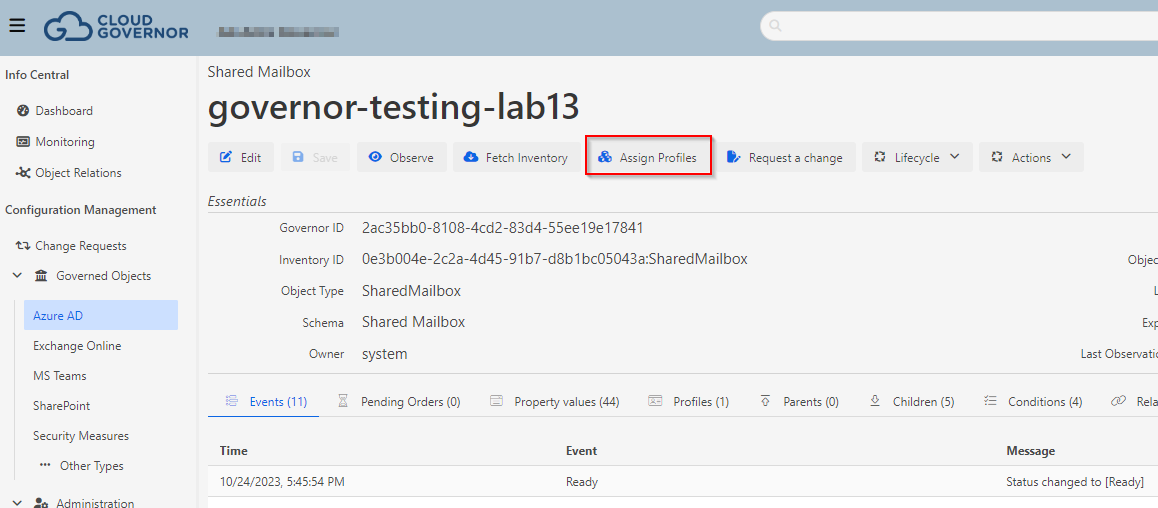
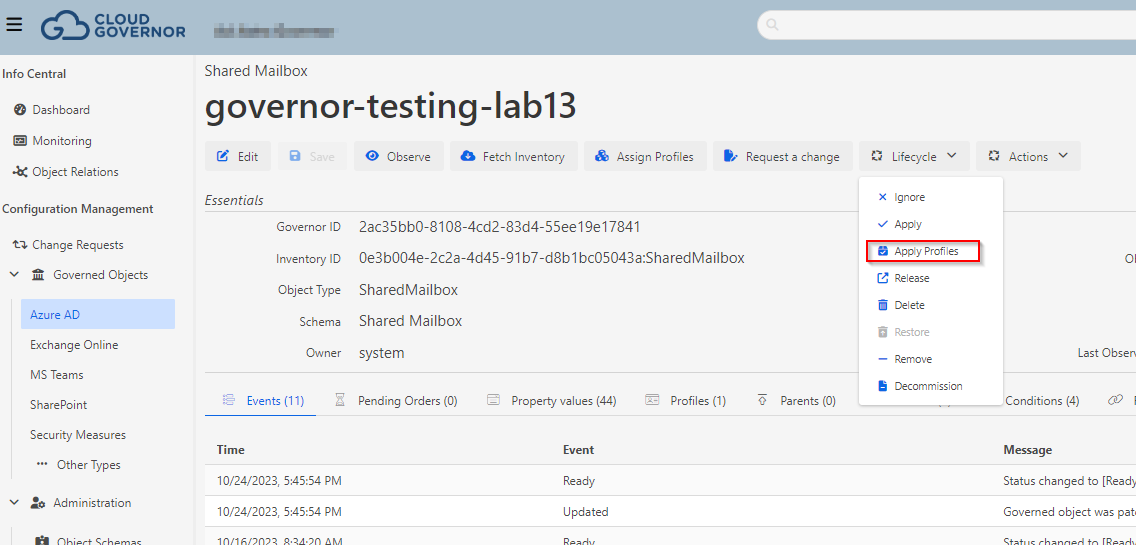
Apply Profile
When you apply a profile, the object settings are recalculated base on the Profile definition and change the object to the Lifecycle "Apply". Then if the reconciliation decides something needs to be changed in the object, it request the execution needed for it and re-observe the object after this execution.
Check Profile assignment
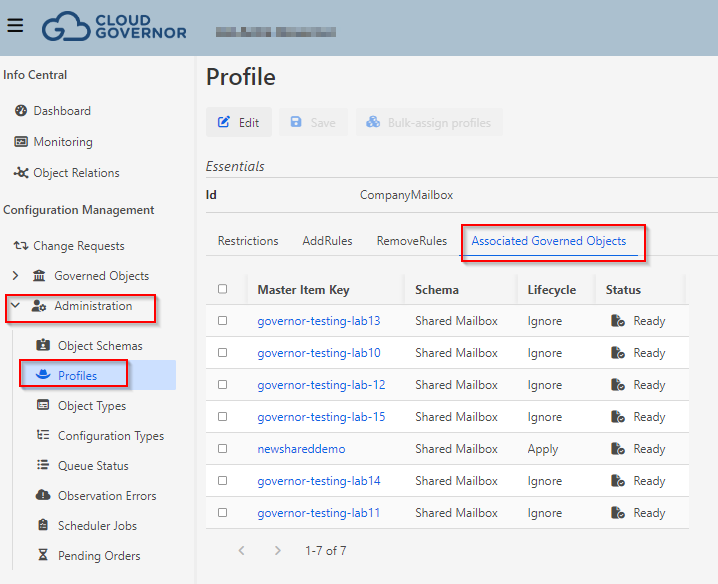
If you want to check which object have one profile assigned, you can go to Administration-->Profiles view, open the Profile and check the objects in the Associated Governed Objects.
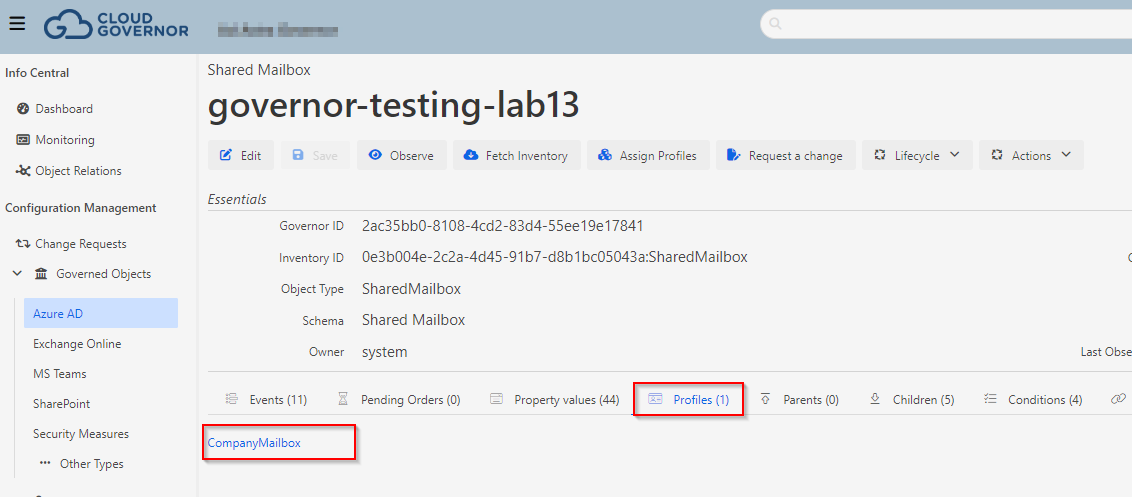
If you want to check if an Object has a profile assigned you can see under the "Profiles" tab.